Source workflow verified: August 29, 2026
Square Dashboard can export transaction details as CSV. The Transactions view contains payment history and supports filters for date, payment method, type, status, location, source, team member, risk level, and card information.
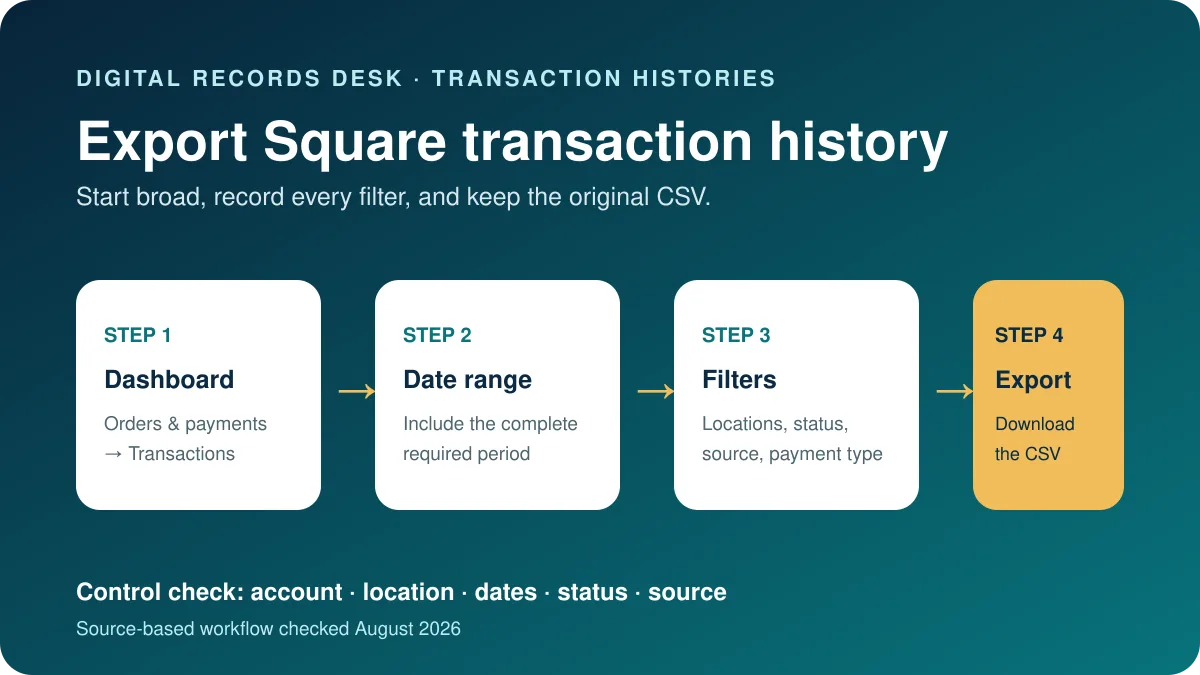
How to download Square transaction history
- Sign in to the official Square Dashboard.
- Go to Orders & payments, Invoices & payments, or Payments, depending on the current navigation.
- Select Transactions.
- Set the date and any needed filters.
- Review sample transactions on screen.
- Select Export and save the CSV.
Square says individual transactions can be viewed in Dashboard and the point-of-sale app, but transaction details can only be downloaded as CSV from Square Dashboard.
Use filters without losing records
| Filter | Useful for | Risk |
|---|---|---|
| Date | Statement or tax period | Boundary-day activity can be excluded |
| Location | Separating stores | Other locations disappear |
| Status or type | Completed payments, refunds or disputes | A narrow status is not complete history |
| Payment method/source | Card, cash, integrations or channels | API payments may require eCommerce Integrations |
Create one broad original export first. Square says API transactions can be filtered through eCommerce Integrations under payment methods.
Transaction export versus report export
The Transactions CSV provides payment-level details. Square Reports can export sales summaries or other filtered reports, and lets you export selected or all visible columns. A sales summary, item report, checking history, or transaction export answers a different accounting question; confirm the requested record before downloading.
For audits or bookkeeping, download the transaction-level file and the relevant summary for identical dates and locations. The summary provides a control total while the detailed file explains individual entries. Record whether dates reflect transaction creation, completion, refund, or transfer timing so that later comparisons remain reproducible.
Match payments with transfers
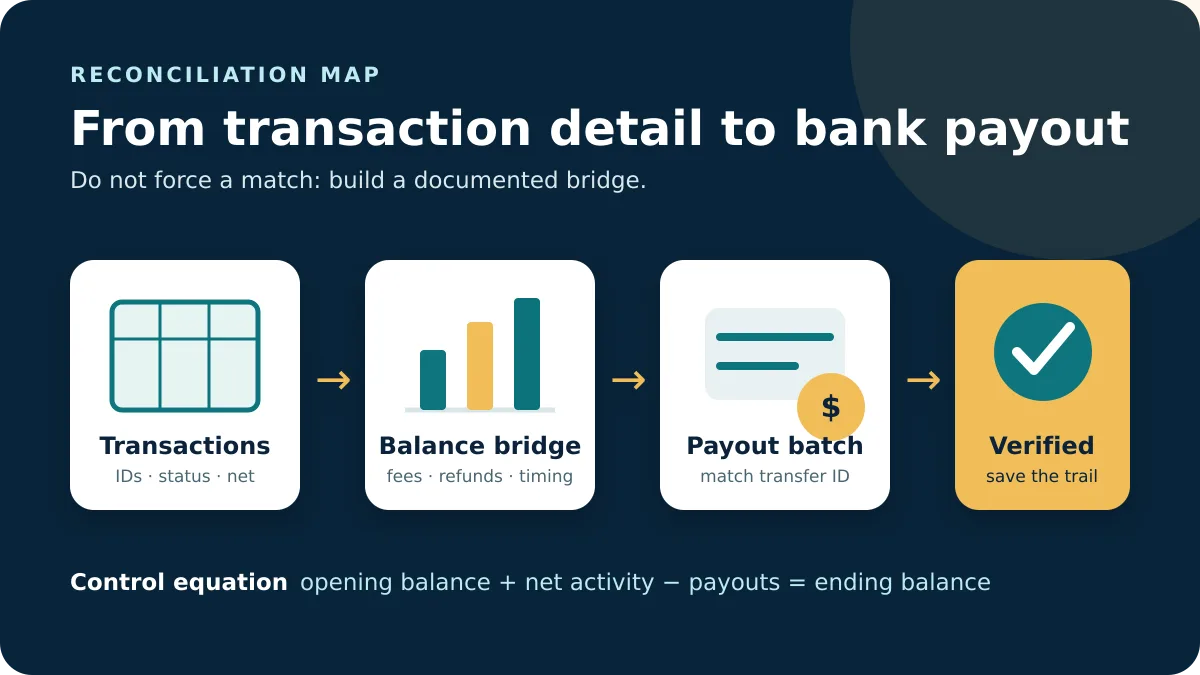
Bank transfers are not necessarily equal to daily gross sales because of fees, refunds, disputes and timing. Use Square’s Banking transfer view and transaction details to trace batches. Keep separate originals by location and period, then combine only working copies with a source label.
If the export is for an accountant or software import, confirm the required columns before removing customer information. A narrow export can protect privacy, but it can also omit receipt IDs, statuses, locations or sources needed to identify exceptions.
Check that the Square export is complete
Before importing the CSV, compare it with the Dashboard view. Record the Square account, selected timezone, start and end dates, locations, statuses, payment methods, sources, and export time. Check the first and last transaction timestamps and count the rows. A file named “transactions.csv” does not preserve any of that context by itself.
- Export all relevant locations once before creating location-specific copies.
- Include refunds, disputes, failed or canceled activity only when the accounting purpose requires them, and document the choice.
- Confirm whether the date range includes both boundary days in the Dashboard timezone.
- Keep identifiers as text so a spreadsheet does not round or reformat them.
- Compare a few receipt IDs, amounts, statuses, and timestamps against Dashboard.
If the Export control or a location is unavailable, the signed-in team member may lack permission. Ask the account owner to grant only the access needed; sharing the owner’s login is unnecessary and unsafe.
Example: separate sales from transfers
Suppose the transaction export shows $10,000 in completed card payments and $400 in refunds, while the bank received $9,250. Do not insert a fabricated $350 transaction to force a match. Build a bridge from gross payments to refunds, processing fees, disputes, reserves, and timing differences, then compare the resulting transfer batches with Banking.
Repeat the calculation by location if several stores settle into one bank account. Save the transfer identifier beside the payment-period working paper. This creates an audit trail without modifying the source CSV and makes a later difference easier to isolate.
Store exports so they remain usable
Use a consistent folder structure by account, year, month, and location. Give files descriptive names that include the period and report type, and keep a brief readme listing filters and timezone. Restrict access because transaction exports may contain customer information.
Retain an untouched CSV alongside any spreadsheet or accounting import created from it. If a correction is necessary, produce a new version and record what changed, who made the change, and why. Follow the retention period required by your accountant, contracts, and applicable law rather than keeping sensitive files indefinitely by default.
Frequently asked questions
Can I export Square history from the POS app?
Square says the downloadable transaction CSV is available through Dashboard.
Why are API payments absent?
Select eCommerce Integrations in the payment-method filter and broaden other filters.
Is a sales report the same as transaction history?
No. Reports summarize selected measures; transaction history provides payment details.
Why do transfers differ from sales?
Fees, refunds, disputes, reserves, locations and settlement timing can change deposit totals.
Routes, filters and export behavior were checked on August 29, 2026.