Source workflow verified: August 29, 2026
Eligible U.S. eBay sellers receive Form 1099-K electronically in Seller Hub or My eBay. eBay also provides a detailed report listing the unadjusted gross payment transactions included on the form, which is useful for reconciliation.

How to download an eBay 1099-K
- Sign in to the correct eBay seller account.
- Open Seller Hub and select Payments.
- Choose Taxes from the left menu.
- Select the applicable tax year and available Form 1099-K.
- Download the electronic copy and retain the original.
You can also use My eBay Payments and its Payment reports and taxes area. eBay contacts eligible sellers by email when the form is available. Turn off Electronic delivery on the Taxes page only if you also want a physical copy.
Generate the 1099-K detailed report
- In Seller Hub, go to Payments → Taxes.
- Select 1099-K details.
- Choose Generate.
- Wait for eBay’s email notification, then download the report.
In My eBay, use Payments, scroll to Payment reports and taxes, select Form 1099-K, and request the detailed report. This report breaks down the unadjusted gross payment transactions on the form; it is supporting data, not a replacement form.
Understand the reported gross amount
| Item | 1099-K treatment described by eBay |
|---|---|
| Gross reportable payments | Included based on when eBay processes gross funds |
| Fees, discounts, credits and refunds | Not deducted from the gross amount |
| Sales tax and canceled transactions | Excluded according to eBay’s current guidance |
| Payments processed by another provider | May produce a separate provider form |
Reconcile the detailed report with sales, refunds, expenses and outside payment-provider records. Do not treat the gross amount as net profit.
Multiple seller accounts
eBay combines payments and transactions across accounts associated with the same tax ID when testing thresholds, but says an eligible seller receives a separate 1099-K for each account. Collect every account’s form and detailed report and avoid counting a separate PayPal or payment-provider form twice.
Create a reconciliation sheet that records the eBay account, form amount, detailed-report total and any separately processed payments. Match corrections by form year and account rather than replacing the only downloaded copy. If a transaction appears unfamiliar, use its item number and transaction details when contacting official eBay support.
Reconcile the form and detailed report
Use one row in a control sheet for each eBay seller account. Record the account name, last digits of the taxpayer ID, tax year, 1099-K amount, detailed-report total, and download date. This prevents two common errors: combining accounts before confirming each form and counting transactions handled by another payment provider twice.
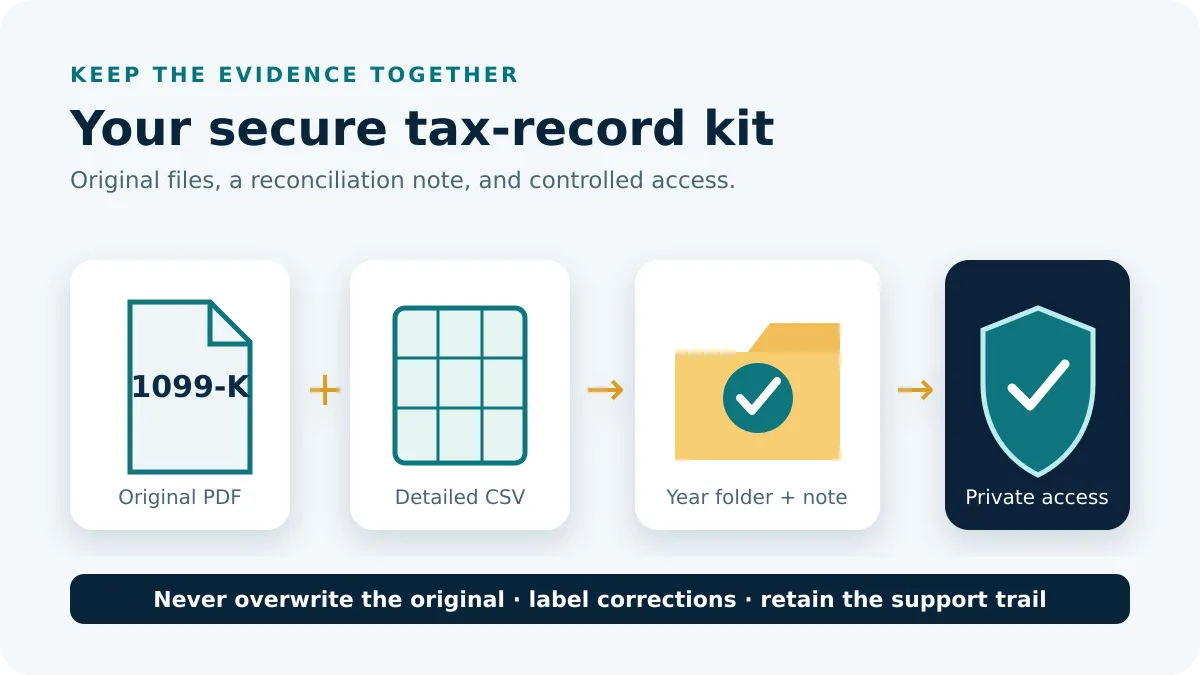
- Keep the official PDF and detailed report unchanged.
- Confirm both files show the same seller account and tax year.
- Compare the report total with the form before comparing either one with bank deposits.
- Group a difference by month, transaction status, and payment processor.
- Trace exceptions using eBay transaction or item identifiers and record the resolution.
A bank deposit is a weak control for gross reporting because it can combine transactions and reflect fees, refunds, holds, and settlement timing. First establish whether the detailed report supports the form. Then reconcile that report to bookkeeping and deposits as a separate exercise.
If a form or report is unavailable
Verify the selected year, the signed-in seller account, and the Taxes area in both Seller Hub and My eBay. A seller can have activity without receiving a form when the account does not meet the applicable reporting conditions. Do not interpret the absence of a form as proof that income is not reportable.
If generation remains pending, save the request date and avoid generating repeated overlapping copies with unclear names. When the file becomes available, label it with account and year. For an amount, name, or taxpayer-ID discrepancy, contact official eBay support and retain the original plus any corrected document. Never alter the issued PDF to make it match your records.
Before escalating, capture the page shown, selected year, seller username, and report-request time, but redact full taxpayer information from ordinary screenshots. Give support a small set of affected transaction IDs instead of an entire customer export whenever that is sufficient to investigate.
Frequently asked questions
Where can I find eBay 1099-K?
In Seller Hub Payments and Taxes, or the corresponding My eBay Payments area.
What is the detailed report?
It lists the unadjusted gross transactions included on the form for reconciliation.
Does gross amount equal profit?
No. eBay states that several adjustments and expenses are not deducted.
What if I have multiple accounts?
Eligibility can use combined activity, while eBay can issue a separate form for each eligible account.
Routes and form guidance were checked on August 29, 2026.