Source workflow verified: August 29, 2026
Eligible U.S. Etsy sellers can download Form 1099-K from the Legal and tax information page in Shop Manager. The form reports applicable gross Etsy Payments sales, not deposits, revenue after expenses, or net profit.

How to download an Etsy 1099-K
- Sign in on Etsy.com and open Shop Manager.
- Select Finances.
- Open Legal and tax information.
- Under Your tax year, choose the required year.
- Select Download 1099-K and wait for the PDF to complete.
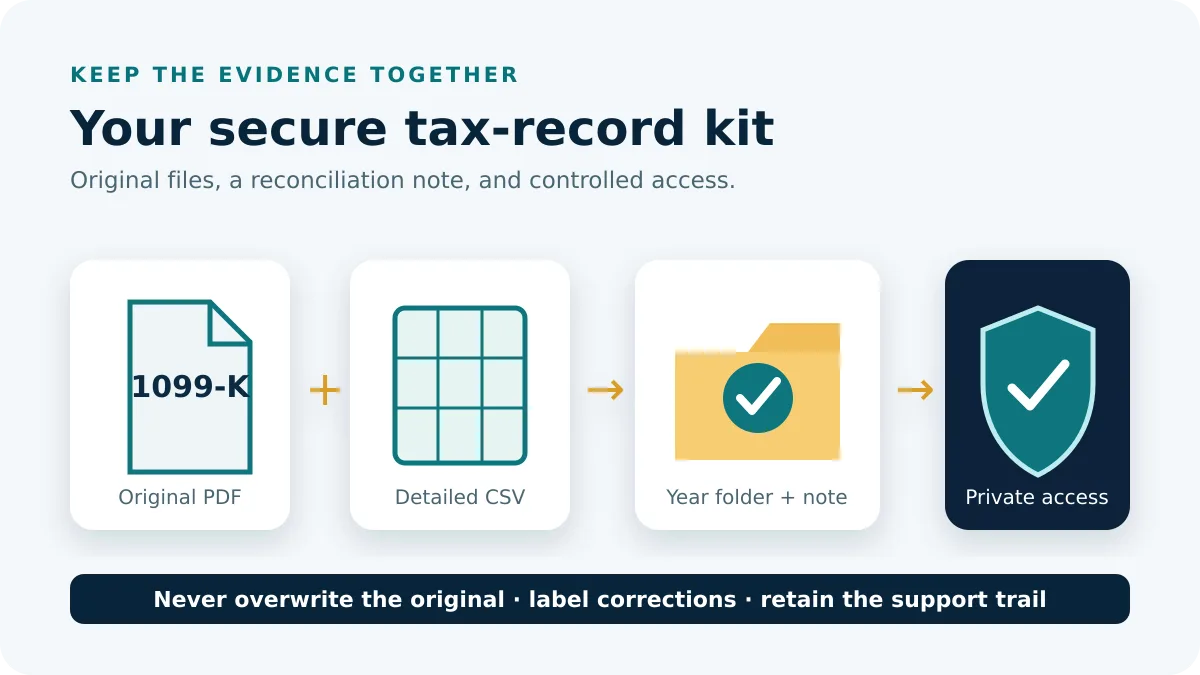
- Save an untouched copy in a private location.
Etsy says eligible electronic forms appear by the end of January. A paper form is mailed only when the seller opted out of paperless-only delivery by Etsy’s deadline.
Why the 1099-K total differs from deposits
| Record | What it represents | Difference |
|---|---|---|
| 1099-K gross sales | Applicable gross Etsy Payments sales | Does not subtract common business expenses |
| Bank deposits | Funds Etsy sent to the bank | Affected by fees, refunds, taxes, reserves and timing |
| Orders CSV | Order information | Order Total has a different calculation purpose |
| Etsy Payments Sales CSV | Payment-level sales records | Its Gross column supports reconciliation |
Etsy directs sellers reconciling Form 1099-K to download the Etsy Payments Sales CSV and total the Gross column for the fiscal year. Work from a copy and retain the original export.
A practical Etsy reconciliation workflow
Create a small control sheet before changing any downloaded file. Record the shop name, taxpayer ID ending, tax year, 1099-K amount, Etsy Payments Sales Gross total, and the date each source was downloaded. If several currencies appear, keep each currency separate until you understand how the form reports conversion.
- Save the PDF and the full-year Etsy Payments Sales CSV in the same private year folder.
- Confirm that the CSV covers January 1 through December 31 and belongs to the same shop and year as the form.
- Total the Gross column without deleting refunds or other rows merely because they look unusual.
- Compare the result with the form, then isolate any difference by month rather than reviewing the whole year at once.
- Write an explanation for every adjustment and link it to the original row or Etsy support case.
For example, bank deposits of $18,400 do not disprove a gross form amount of $22,000. The difference may include fees, refunds, taxes, reserves, and payments that crossed a deposit boundary. Compare the form to the payment-level gross source first; use deposits only as a separate bank-reconciliation check.
If the form is missing or will not download
- Confirm that you selected the correct tax year.
- Check whether Etsy says your shop was eligible for that year.
- Verify valid taxpayer information in Legal and tax information.
- If the download errors, Etsy says a brief IRS outage may be responsible; try again later.
- Use official Etsy Support for account-specific discrepancies.
A missing 1099-K does not by itself determine whether sales must be reported. Eligibility, federal rules, and state rules can differ.
If you operate multiple Etsy shops
Etsy says shops using the same taxpayer ID contribute to a combined 1099-K, and the same form is available in each shop. Verify that every shop has matching legal name, address, and SSN or EIN. Payments processed outside Etsy Payments, such as separate in-person Square sales, are not included in Etsy’s form.
What to do when information appears wrong
Do not edit the PDF or create a replacement yourself. Check the legal name, address, taxpayer ID, year, and gross amount independently. Capture the exact discrepancy and the supporting CSV rows, then contact official Etsy Support from the affected account. Keep the original form, any corrected form, the support correspondence, and a note explaining which version was used.
If the issue concerns a legal name or taxpayer number, update account information only through Etsy’s secured tax-information flow. Avoid sending complete tax IDs by ordinary email. For a filing deadline or uncertainty about how to report a disputed amount, consult a qualified tax professional; a pending platform correction does not automatically change a filing obligation.
Use descriptive filenames such as Etsy-1099-K-2025-original.pdf and Etsy-1099-K-2025-corrected.pdf; never overwrite the first document. Add a short dated note identifying the support case and the reason for the correction so the final record can be understood without relying on memory.
Frequently asked questions
Where is Etsy 1099-K?
Shop Manager, Finances, Legal and tax information, then select the year.
Why is it higher than my deposits?
Deposits reflect expenses and timing; Form 1099-K reports applicable gross sales.
Does each shop receive a separate form?
Etsy combines shops with the same taxpayer ID and makes the combined form available in each.
Can I receive a paper copy?
Eligible sellers must opt out of paperless-only delivery by Etsy’s stated deadline for mail delivery.
Routes and material facts were checked on August 29, 2026.