Official documentation reviewed: September 7, 2026
An Amazon Seller 1099-K is a tax information document, not a bank-deposit summary or a calculation of your profit. This guide focuses on finding an available form, confirming which record you downloaded and organizing the evidence needed to investigate a discrepancy. It does not determine your tax liability.
Locate the available form
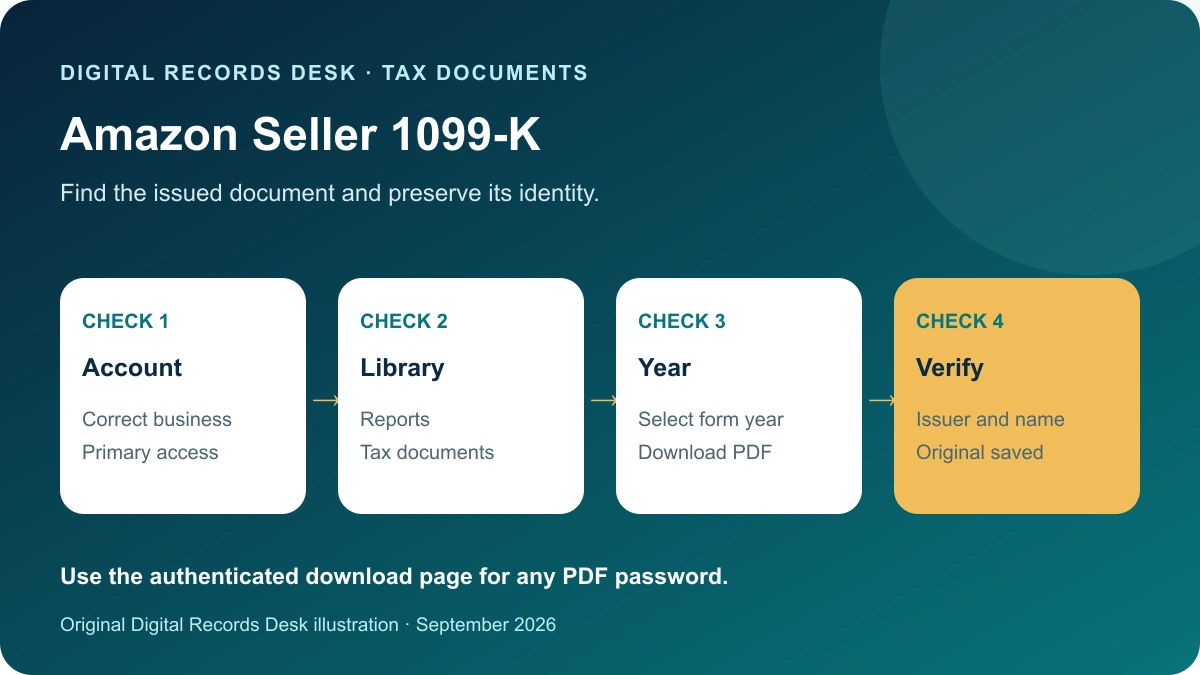
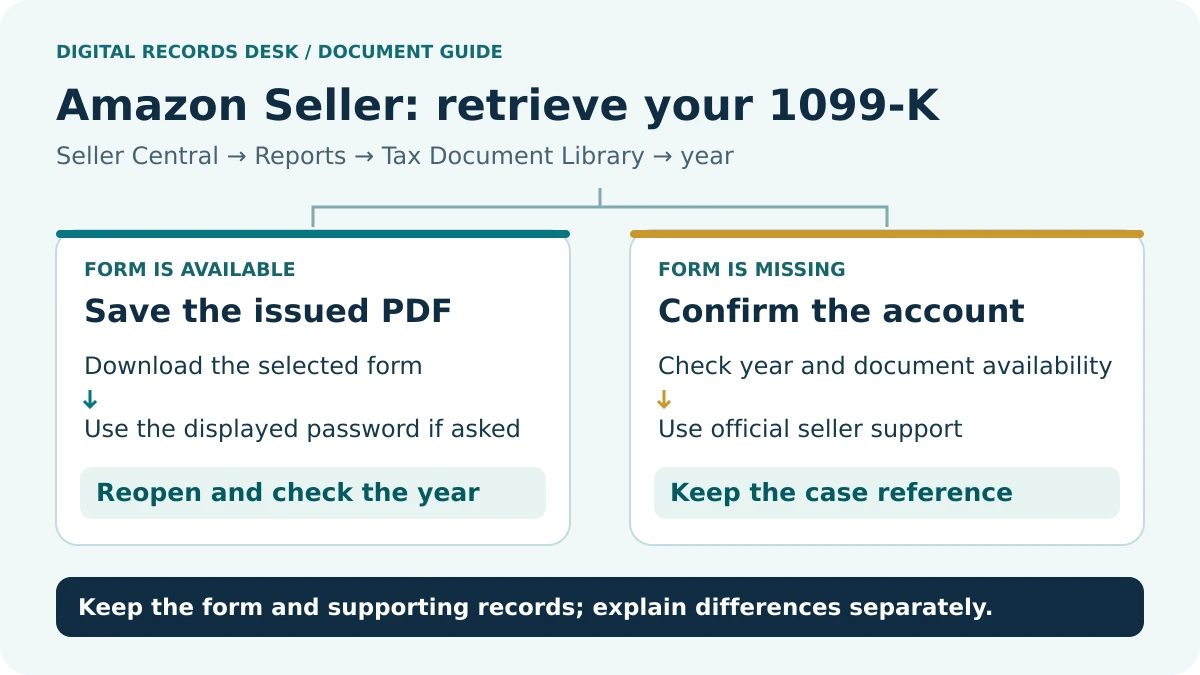
Amazon’s current FAQ documents this route and says the primary user must access the Tax Document Library. For applicable non-U.S. stores, it also points U.S. tax persons to Tax Central’s tax dashboard and Find forms. If the PDF is protected, Amazon says the password is displayed on the download page. Follow the account’s instructions privately. Amazon 1099-K FAQ.
- Use your normal official Seller Central sign-in route.
- Confirm the business and marketplace context.
- Open the tax-document area and select the requested year.
- Choose the available 1099-K and download the issued PDF.
- Open the saved file locally and verify that every page is readable.
- Store it with the download date and a short account label.
Do not send a password or full taxpayer identifier to Digital Records Desk. If a team member cannot see the document, resolve access through the primary account holder rather than exchanging login details.
Confirm the document’s identity
| Control | What to inspect | Why it matters |
|---|---|---|
| Year | Year printed on the form | Download date is not the reporting year |
| Recipient | Legal name and masked identifier | A similar business name may belong to another entity |
| Issuer | Filer details on the PDF | Different services can issue separate records |
| Version | Original or corrected designation | A later file may supersede an earlier one |
| Completeness | Readable pages and amounts | A partial download is not a usable archive |
Use an inventory when several businesses, regions or tax forms are involved. Record the issuer and period for each file, but keep full tax identifiers out of filenames. Do not add documents together until you understand whether they overlap. An accountant can help establish the correct reporting treatment.
Understand why deposits differ
The IRS explains that Form 1099-K reports gross payment amounts without adjustments such as fees, refunds and discounts. It instructs recipients to check records and contact the filer for errors; the form alone does not establish taxable profit. IRS explanation of Form 1099-K.
As an original illustration, a seller might have a gross payment figure of $12,000 and bank deposits of $10,700. The $1,300 difference is a question to investigate, not proof of a wrong tax form. Build a separate bridge using documented items and matching periods. Do not subtract an invented fee amount simply because it produces the desired result.
Keep three comparisons distinct: the form against reportable payment detail, platform activity against settlements, and settlements against bank receipts. Use the correct currency and date basis for each. This structure helps identify whether a mismatch begins in the payment records or later in the payout process.
Build a reconciliation package
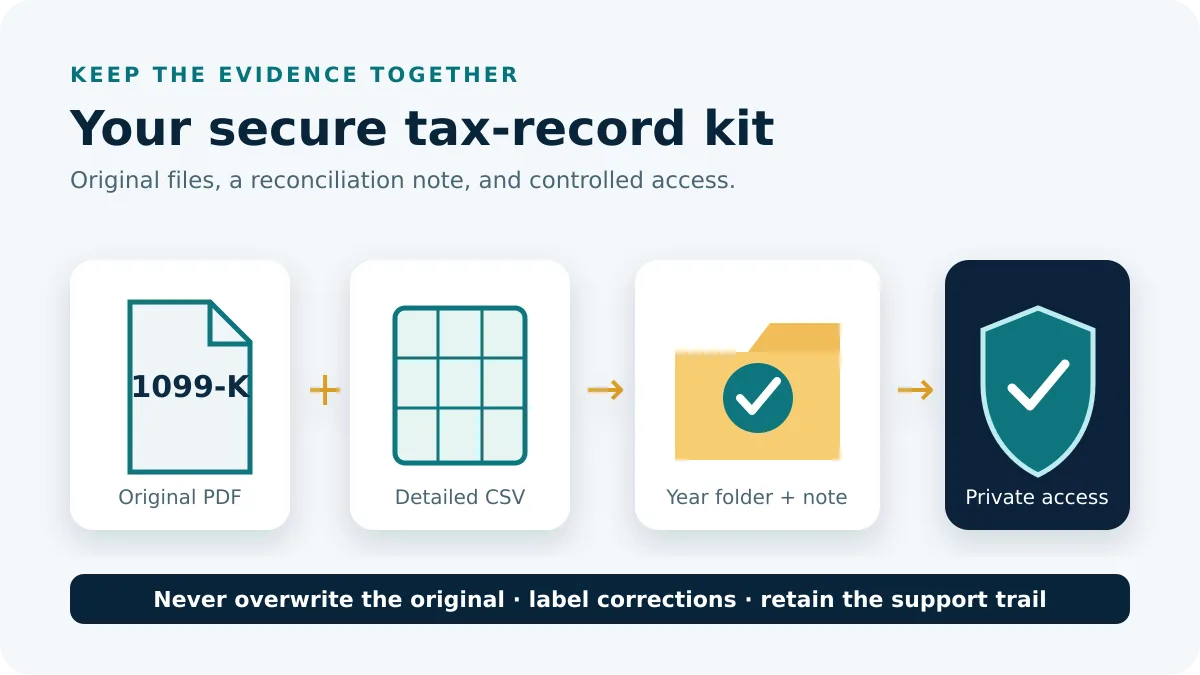
Create a private folder with the issued PDF, relevant native reports and a working reconciliation note. In that note, record the exact field being compared, the source file, the period and the unresolved amount. Break an annual difference into smaller intervals so the investigation stays manageable.
- Preserve the original form before opening spreadsheet reports.
- Record the form year and amount being checked.
- Gather the relevant platform detail for the same reporting scope.
- Compare consistent periods and group exceptions by their documented type.
- Link each proposed explanation to a source row or support response.
- Keep unresolved differences visible for the preparer.
This is a record-control method, not a tax calculation. Do not infer that every platform report uses the same inclusion rules as the form. A report can be accurate for its purpose and still be an unsuitable comparison. Ask Amazon to clarify an account-specific field or timing rule when the evidence does not establish it.
If the form is missing or incorrect
First check the selected year, account and permissions. Then use the current provider guidance for that year’s availability and eligibility. Reporting rules can vary by year and jurisdiction; a missing document is not a conclusion about whether income must be reported. Avoid relying on an old threshold copied from a search result.
If information appears wrong, preserve the PDF and state the discrepancy precisely: wrong recipient, wrong year, unexpected amount or an inaccessible file. Contact Amazon through its authenticated support or tax-information process. Do not edit an issued PDF to create your own correction. Keep support references and any later document together.
For a deadline or reporting decision, ask a qualified tax professional how to proceed with the available evidence. A support case and a filing obligation are different matters. Documenting what you requested and when is useful even when the platform has not resolved the issue.
Store and share a controlled copy
Name the source clearly, for example Amazon-1099-K-2025-original.pdf, and put calculations in a different file. If a corrected form arrives, preserve both and write which version is current. Use your preparer’s secure document channel and confirm the required supporting reports before sharing a full transaction export.
Our private record checklist helps organize the package without receiving documents. See Tax Documents for related forms and CSV and Import Help for problems opening supporting data. The goal is an understandable evidence trail rather than a folder of unlabeled downloads.
Frequently asked questions
Is the amount my taxable profit?
No. The form is an information record; determining tax treatment requires your underlying records and applicable rules.
Can I change the PDF when something is wrong?
Preserve it and request help through the issuer’s official process. Keep any replacement or corrected version with the original.
What if the PDF asks for a password?
Use the instructions on the authenticated download page. Do not publish or share the password to troubleshoot the file.
Provider routes were checked against public documentation on September 7, 2026. Menu labels, available products and regional requirements can change. The examples and record-control checklists are original editorial guidance, not provider screenshots or a test inside your account.