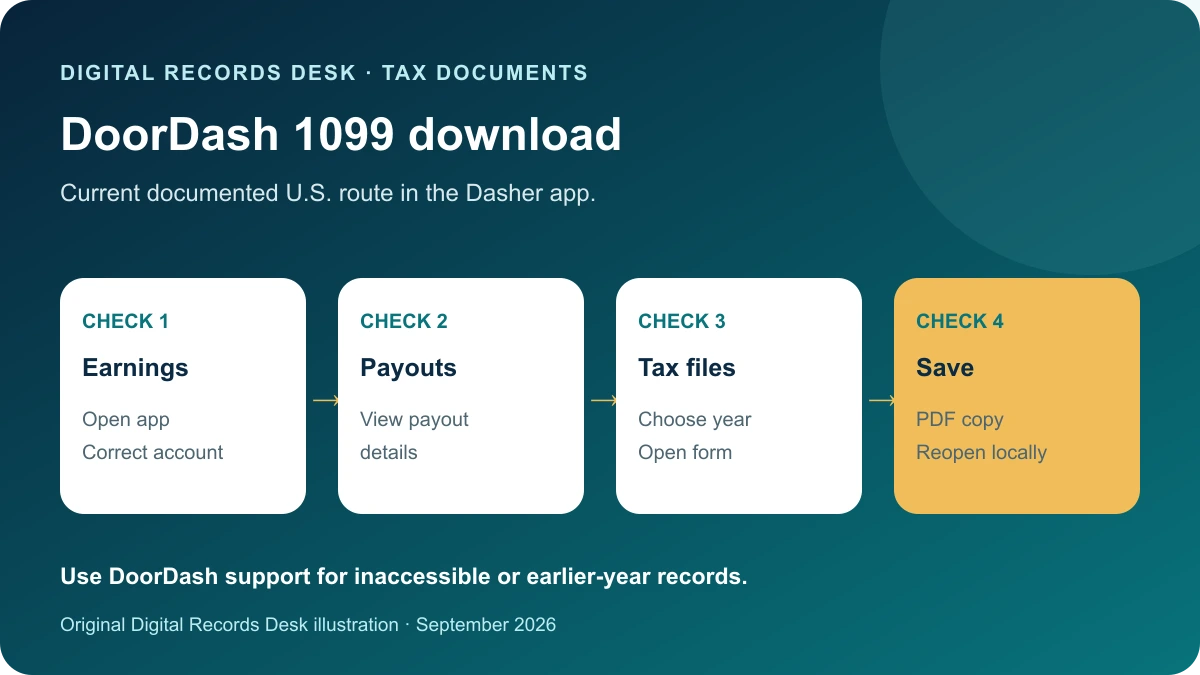
Official documentation reviewed: September 7, 2026
U.S. Dashers looking for an issued 1099-NEC should start with the current Dasher app’s tax-document area. Old instructions that assume every year uses an external delivery portal can send you to the wrong place. This guide covers the documented app route and a practical way to check and retain the file.
Use the current app route
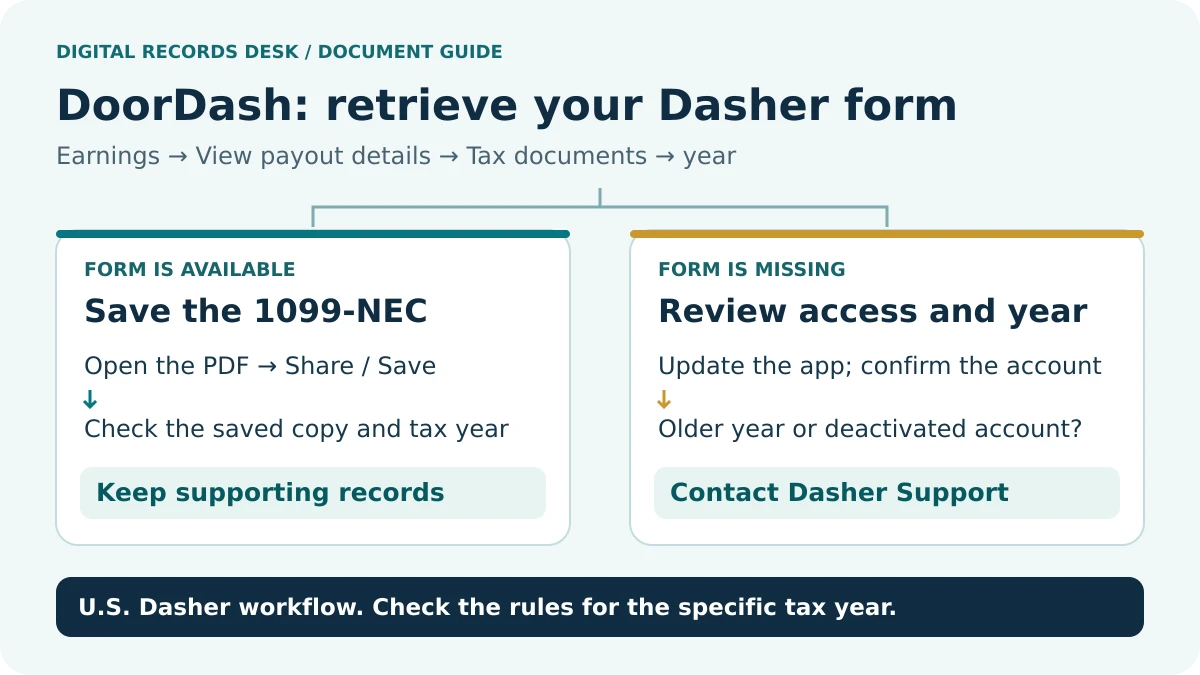
DoorDash’s U.S. guidance says to update the Dasher app, choose the year in Tax documents and open the form before saving or exporting it. The documented year selector starts at 2024. For a deactivated account or download-access problem, DoorDash directs Dashers to support. Earlier-year records may therefore require a different retrieval path confirmed by support. DoorDash tax-document instructions.
- Open your normal Dasher app and confirm you are in the correct account.
- Navigate to the tax-document area using the current route above.
- Select the reporting year requested by your preparer.
- Open the available form and save the PDF through the document control.
- Find the saved file in your chosen private folder.
- Reopen it and confirm the form, year and pages are readable.
Do not confuse opening a preview with saving a durable copy. A file that remains only inside a temporary viewer may be difficult to locate later. Record the filename and storage location without placing passwords or full tax identifiers in the note.
Choose the right record for the request
| Record | Use in your package | Keep separate from |
|---|---|---|
| Issued 1099-NEC | Tax information document | Your own profit calculation |
| Earnings or payout records | Supporting activity and timing | A replacement tax form |
| Bank records | Evidence of received deposits | A platform activity total |
| Expense records | Evidence for professional review | Edits to the issued form |
This guide addresses U.S. Form 1099-NEC. DoorDash’s tax page has separate country sections and different Puerto Rico documentation. Select the guidance that actually applies to your work rather than assuming the U.S. form is universal.
Before collecting every available file, ask what your preparer needs: the issued form, supporting records, a list of unresolved differences or a combination. A specific request reduces unnecessary disclosure and makes the package easier to review.
Check the year and recipient
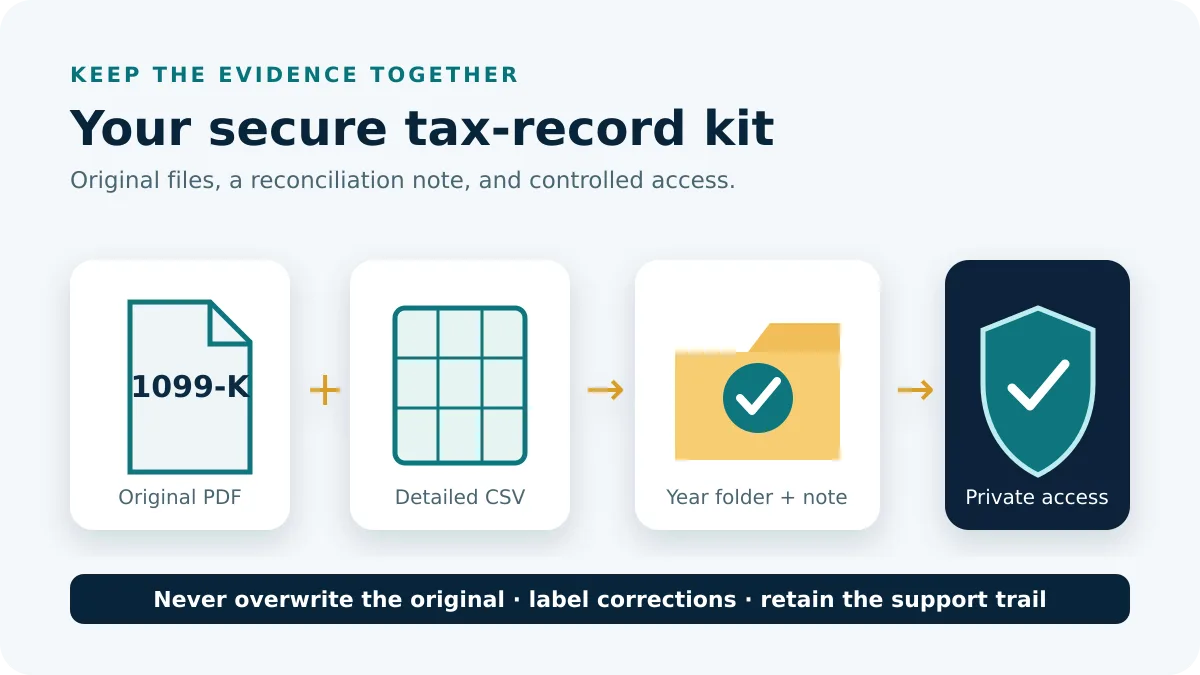
Use the printed reporting year, not the date you downloaded the file. Confirm the recipient name, masked identifier and payer details. If a file is marked corrected, preserve that designation in the inventory and retain the earlier version. A filename you typed yourself is not evidence that the document inside belongs to that year.
Create a short control sheet with columns for form type, year, download date, current version, supporting files and unresolved issue. For example, DoorDash-1099-NEC-2025-original.pdf can sit beside a separate working note. Keep complete tax identifiers out of those labels.
When several household members dash, maintain separate folders and verify each recipient before combining anything for a preparer. Similar names or a shared device can make a wrong-account download look plausible. Do not assume two documents represent duplicate income until their identities and scope are established.
Investigate a difference without changing the form
DoorDash says its earnings subtotal follows the date funds were deposited rather than the date the dash was completed. This makes year-boundary comparisons worth checking. Use the provider’s explanation for the applicable year and preserve its guidance alongside your records. DoorDash earnings date basis.
As an original example, work completed near December 31 and a payment received in January can appear in different periods in two record sets. That example identifies a question to investigate; it does not decide how your individual return should be prepared. Trace the actual payout dates and ask support to explain any remaining discrepancy.
Separate platform earnings, payouts, bank receipts and personal expense calculations. If a bank total differs from a form amount, isolate the mismatch by period and record type. Do not overwrite an issued figure with a spreadsheet result simply because the latter is easier to reproduce.
If the form is unavailable
Check the year, current app version and account first. Review the current official availability and eligibility information for the reporting period. A missing form does not by itself establish that no income must be reported. Avoid applying a threshold from an old article to a different tax year.
For an access problem, write down the route, selected year, device type and exact error wording. Do not post the tax-document screen publicly. For a recipient-information issue, identify the field that needs review and use DoorDash’s authenticated support process. Keep a dated record of the request and any response.
If you are close to a filing deadline, consult a qualified tax professional about using the records you have while the issue is reviewed. Never create a substitute 1099 by editing a downloaded template. Your own reconciliation note should be clearly labeled as a working document.
Finish the record package
Store the original PDF with its relevant supporting records and a short note listing unresolved questions. Share only the requested files through the preparer’s agreed secure channel. If another version later arrives, preserve it separately and tell the recipient which document changed.
The private record checklist helps plan those steps without receiving your data. Browse Tax Documents for other provider forms and Transaction Histories for supporting exports. A small, labeled package is easier to review than repeated downloads with uncertain years and versions.
Frequently asked questions
Should I start with Stripe Express?
Start with DoorDash’s current instructions for the year you need. This guide verifies the Dasher app route; use support for an earlier or inaccessible record rather than assuming one delivery service covers all years.
Does a missing 1099 mean I have no reporting obligation?
No conclusion follows from the missing document alone. Review the relevant rules and your earnings records with a qualified professional.
Can I send the form to Digital Records Desk for help?
No. Keep the form private and use the issuer’s authenticated support or your preparer’s secure channel for account-specific review.
Provider routes were checked against public documentation on September 7, 2026. Menu labels, available products and regional requirements can change. The examples and record-control checklists are original editorial guidance, not provider screenshots or a test inside your account.