Source workflow verified: August 29, 2026
Many platforms use Stripe Connect to pay contractors, creators, sellers, or service providers. When the platform delivers a U.S. Form 1099 electronically, the available form can be viewed and downloaded through Stripe Express. The platform—not Stripe alone—determines whether and when a form is issued.

How to download a Stripe 1099
- Find the legitimate Stripe Express invitation or tax email associated with the platform that paid you.
- Open Stripe Express and verify that the displayed platform and contact details match your records.
- Complete electronic-delivery consent if it is offered and you want online delivery.
- Open the tax-forms or documents section.
- Select the correct year and form, then download the original PDF.
Stripe’s Express documentation says payees can grant e-delivery consent, download available 1099 forms, and update tax information. A form may instead arrive by mail when electronic delivery was not established.
Identify the correct document
| Item | Purpose | Check |
|---|---|---|
| 1099 form | Official information return for applicable activity | Year, payer/platform and taxpayer details |
| Earnings view | Tracks platform earnings and payouts | It is not automatically the filed form |
| Platform statement | Platform-specific transaction detail | Collect separately if reconciliation is needed |
Why the form may be missing
- You opened an Express account connected to a different email or platform.
- The platform has not made the form available yet.
- The form does not apply under the platform’s reporting determination.
- You did not consent to electronic delivery and a paper copy was sent.
- Your invitation or contact information needs platform support.
Contact the platform that paid you for issuance questions. Stripe’s platform-specific Express support can help with access, but another platform cannot see or correct the form.
If information is incorrect
Do not edit the PDF. Confirm your legal name, address and taxpayer information in the authorized workflow, then request a correction from the issuing platform. Preserve the original and any corrected version with their dates.
Checks to make before downloading
A Stripe Express account can be connected to one particular platform, email address, or phone number. Before saving a tax document, verify the platform name, tax year, last digits of the taxpayer ID, mailing address, and form type. If you work through several platforms, create a checklist with one row per payer so that a form from one Express invitation is not mistaken for another.
- Open the invitation from the platform’s known website or a previously verified message.
- Confirm that the displayed payer or platform matches the work performed.
- Check whether delivery is electronic or postal and record the consent status.
- Download the issued PDF without printing it to a new PDF or editing its fields.
- Use a filename containing the platform, form type, and tax year.
Keep screenshots free of full taxpayer IDs and one-time codes. Access problems should be described using the platform name, contact email, year, and exact error—not by emailing sensitive credentials.
Reconcile a Stripe-delivered form
Start with the form amount and compare it with the issuing platform’s annual earnings or transaction report. Then separate payouts, fees, refunds, incentives, and adjustments. Bank deposits are a secondary control because they may combine activity from several dates or exclude funds that were not yet available.
For example, a platform may report $15,000 on an information return while bank deposits total $13,900. Do not change the form or add a balancing transaction. Build a reconciliation showing gross reportable activity, platform fees, refunds, withholding or other adjustments, and timing differences. Link every difference to a platform statement or transaction ID.
When two invitations appear, reconcile each payer separately before combining anything for bookkeeping. Duplicate-looking forms must be compared by payer identity, account, year, form type, and amount rather than filename alone.
Keep a complete correction record
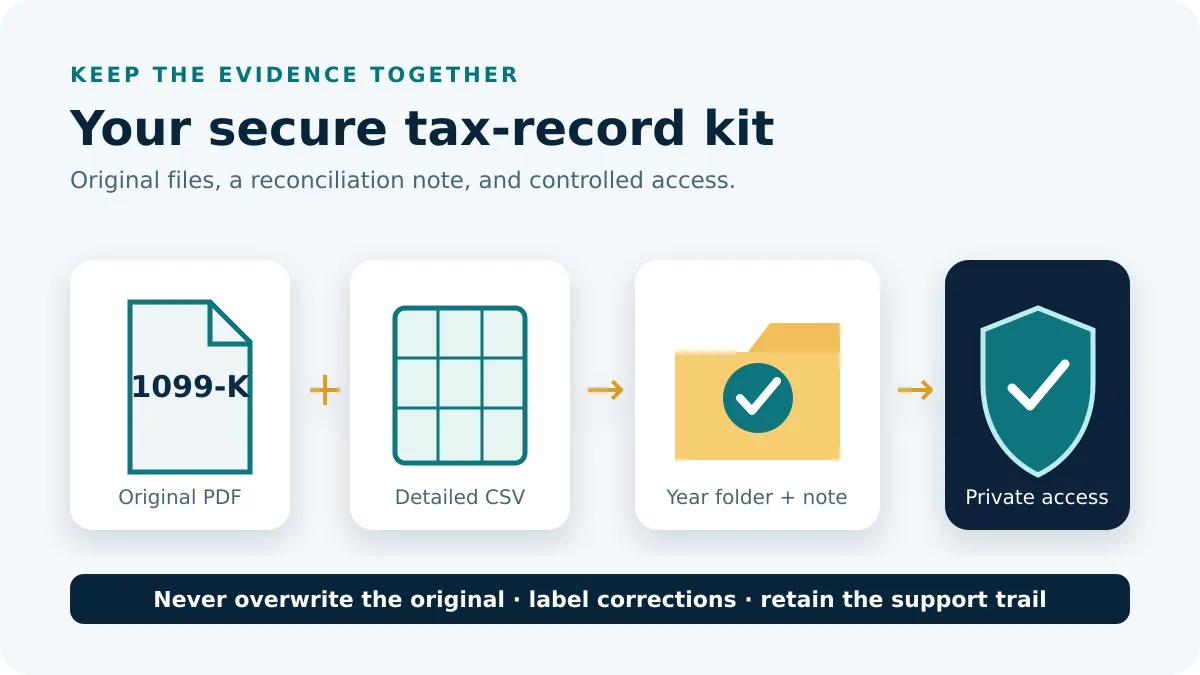
Store the original PDF, corrected PDF, earnings export, platform correspondence, and a short dated note in the same private year folder. Never overwrite the first form. If a correction is pending near a filing deadline, ask a qualified tax professional how to proceed; platform support can correct access or document data but cannot provide personal filing advice.
Frequently asked questions
Is Stripe the payer on every form?
No. A platform can use Stripe to deliver forms; verify the payer and platform shown on the document.
Why did I receive more than one Stripe invitation?
Different platforms or contact details can create separate Express access paths. Match each invitation to the payer.
Can I use the earnings screen instead?
Use it for reconciliation, but do not treat it as the official form when a recipient requests the 1099 PDF.
Who corrects the form?
Start with the platform that issued it and use its authorized correction process.
Workflow and delivery guidance were checked on August 29, 2026.