Source workflow verified: October 13, 2026
PayPal places available U.S. tax forms in the Tax Documents area of your account. Form 1099-K reports certain payments for goods and services; it is not a list of every PayPal transfer and the gross amount is not automatically the same as taxable profit.

How to download a PayPal 1099-K
- Sign in through the official PayPal website.
- Select the Settings icon next to Log out.
- Open Statements and Taxes.
- Select Tax Documents.
- Choose the required calendar year.
- Select the applicable form and save it to a private location.
PayPal says eligible forms are generally available around January 31, while Form 1099-DA may be available around February 15. Availability depends on the form, account activity, jurisdiction, and reporting rules—not simply on whether you used PayPal.
How to get PayPal tax documents from previous years
If you need an older PayPal 1099-K or another tax form, do not start by downloading your general transaction history. First check the Tax Documents area for the specific tax year.
- Sign in to your PayPal account.
- Select the Settings icon next to Log out.
- Open Statements and Taxes.
- Find the Tax Documents section.
- Use the year dropdown to select the tax year you need.
- Choose from the tax forms available for that year and download or print the required document.
PayPal states that tax forms issued for your account are listed in this area. The available form types depend on what was actually issued for that account and tax year, so using PayPal in a particular year does not by itself mean that a 1099-K will be present.
What if an older 1099-K does not appear?
First confirm that you selected the correct year and are signed in to the PayPal account that received the relevant payments. If the tax form is not listed but you believe your account met the applicable reporting requirements, PayPal directs users to contact PayPal for assistance.
Do not create or edit your own substitute 1099-K from transaction records. If PayPal issued the form, use the provider-generated document. If you need transaction-level support for the amount shown on the form, look for the Reconciliation Report available alongside the 1099-K.
Past tax form vs. past transaction history
| If you need… | Start here | What it gives you |
|---|---|---|
| An older 1099-K | Settings → Statements and Taxes → Tax Documents | The tax form PayPal issued for the selected year, if available |
| Transactions included in a 1099-K amount | Reconciliation Report | The transactions PayPal included in the reported gross sales figure |
| General activity for an older year | Activity → Download → Custom | A transaction report, not a tax form |
PayPal currently says that transaction activity reports can cover up to the previous 7 years, with up to 12 months of activity per request. That can help with bookkeeping or record reconstruction, but it does not replace an official 1099-K. For those records, use our PayPal transaction history guide.
If the downloaded activity file opens incorrectly or appears to be missing rows, see our PayPal CSV troubleshooting guide. For other tax-form download guides, visit Tax Documents.
Choose the right PayPal record
| Record | Use | Do not assume |
|---|---|---|
| Form 1099-K | Reports qualifying gross payment volume for goods and services | That gross payments equal income or profit |
| Reconciliation Report | Lists transactions PayPal included in gross sales | That it replaces the official form |
| Activity report | Detailed transaction review and bookkeeping | That every row belongs on a tax return |
| Monthly statement | Readable account record for a month | That it is a tax form |
If you need transaction-level data rather than a tax form, follow our guide to download PayPal transaction history.
How to check the reported gross amount
Open the same Tax Documents area and look for PayPal’s Reconciliation Report. Compare its included transactions with your own invoices, refunds, fees, personal transfers, and business records. Preserve both the form and report before annotating copies.
If the form is missing or appears incorrect
Confirm the account and year
Check that you are signed in to the account that received the payments and have selected the correct year. A separate personal or business login can have separate documents.
Confirm the account and year
Check that you are signed in to the PayPal account that received the relevant payments and that the correct tax year is selected in the Tax Documents dropdown. Personal and business activity may exist under different PayPal logins, so an empty year on one account does not prove that no form exists elsewhere.
PayPal states that tax forms issued for the selected account are listed in this area. If the form is not listed and you still believe you met the applicable reporting requirements, contact PayPal rather than trying to reconstruct the official form yourself.
Do not rely only on the federal threshold
Federal thresholds and state reporting rules can differ and can change. Backup withholding can also affect reporting. Use the current PayPal help page and official tax guidance for the year in question.
Request a correction through PayPal
PayPal’s tax-document workflow may show Need to change your 1099-K? Follow that account-specific route and provide accurate supporting information. Do not alter the downloaded tax form yourself.
Protect the document
Tax forms contain identifying and financial information. Use official support, redact only copies, and never disclose passwords or verification codes.
A practical PayPal 1099-K reconciliation
Create a control sheet containing the PayPal account, taxpayer ID ending, tax year, form amount, Reconciliation Report total, download date, and any separately processed accounts. Compare the official form with PayPal’s included-transaction report before comparing either figure with bank deposits.
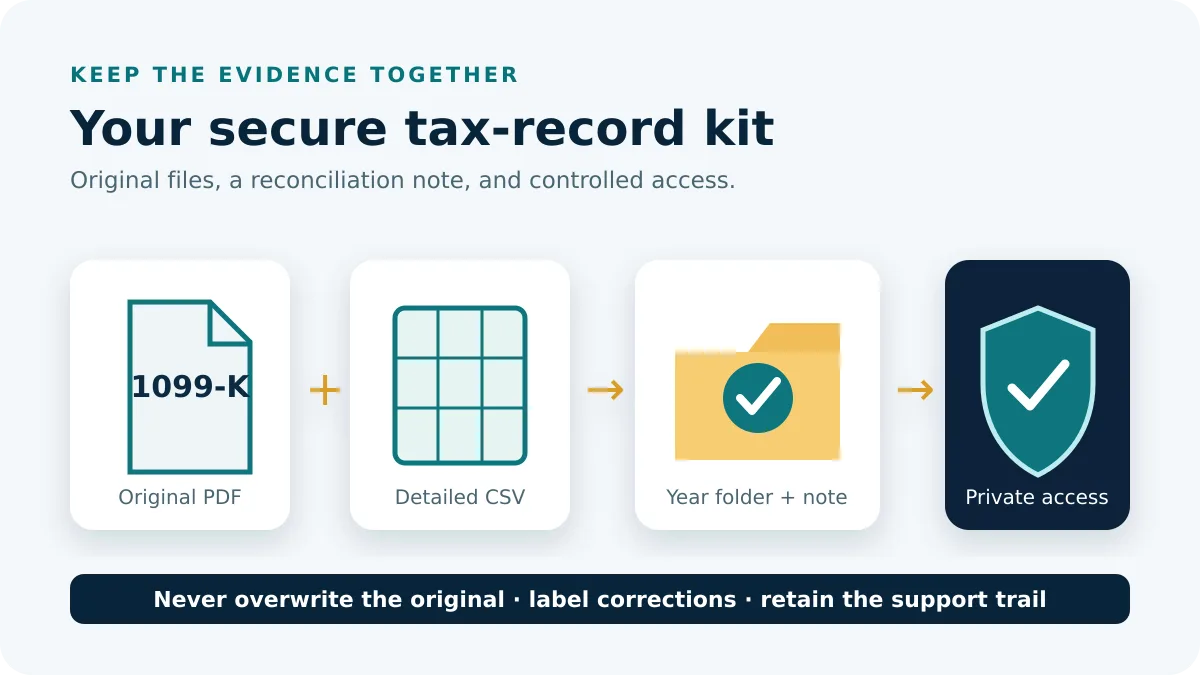
- Save the original 1099-K and Reconciliation Report in the same private year folder.
- Confirm that both records belong to the same account and calendar year.
- Group included transactions by month, currency, and payment type.
- Separate refunds, fees, personal transfers, disputes, and timing differences without deleting source rows.
- Record an explanation and transaction ID for every unresolved difference.
For example, a $20,000 gross form amount does not need to equal $18,300 in bank deposits. Deposits can reflect fees, refunds, currency conversion, holds, and transfers that cross period boundaries. Use the report to explain what PayPal included, then build a separate bridge to the bank.
Preserve corrections and account evidence
If PayPal issues a corrected form, retain the original, corrected PDF, support case, and dated explanation. Never overwrite or edit the issued document. For multiple PayPal accounts, reconcile each account separately before combining bookkeeping totals. Use filenames containing the account label, form type, year, and version so an obsolete document is not filed accidentally.
Before sharing a form, confirm that the recipient genuinely needs the complete document. Use a protected transfer channel and keep redacted working copies clearly separated from the official PDF.
Frequently asked questions
Why did I receive a PayPal 1099-K?
PayPal issues forms when applicable reporting conditions are met. State rules, backup withholding, and account activity can affect eligibility.
Is a 1099-K the same as PayPal transaction history?
No. The form reports qualifying gross payment volume; transaction history is a more detailed account record.
Can I use the gross amount as business profit?
Not automatically. Gross payments do not by themselves account for fees, refunds, expenses, cost basis, or the nature of each transaction.
Can I download a PayPal 1099-K from a previous year?
Yes, if PayPal issued the form and it remains available in your account. Open Settings → Statements and Taxes → Tax Documents, select the required year from the dropdown, and choose from the forms listed for that year.
Can I use PayPal transaction history instead of a missing 1099-K?
No. Transaction history is an account activity record, while Form 1099-K is an official tax information form issued under applicable reporting rules. Transaction reports can help reconstruct activity or support reconciliation, but they are not a replacement for a 1099-K that PayPal was required to issue.
What if my name or tax ID is wrong?
Use PayPal’s correction workflow in Tax Documents and verify the account’s taxpayer information. Keep copies of the original and corrected form.
- PayPal Help: view and download statements and transaction reports
- PayPal Help: find, download, or correct a 1099
- PayPal Help: reconcile a Form 1099-K amount
Paths and material facts were checked against PayPal US documentation on October 13, 2026.