Official documentation reviewed: October 17, 2026
Uber drivers and delivery people can have more than one year-end tax record: an issued Form 1099, an Uber Tax Summary, or both. The right file depends on what Uber issued for the reporting year and what record you actually need. This guide separates those documents and shows the current U.S. download routes documented by Uber.
How to download Uber tax documents
Uber currently documents two ways to reach U.S. driver tax records: the web Driver Dashboard and the Driver app. Use the account that actually earned the rides or delivery income and verify the reporting year before saving anything.
On the Uber Driver Dashboard
- Go to drivers.uber.com using your normal saved address or Uber’s official site.
- Sign in to the driver account that received the earnings.
- Open the Tax Information tab.
- Locate the 1099 form or Tax Summary for the reporting year you need.
- Select Download for the available document.
- Save the original file in a private folder and reopen it to confirm that it is readable.
In the Uber Driver app
- Open the Driver app and confirm the correct account is active.
- Tap Account.
- Select Tax Info.
- Open Tax Forms to view available 1099 documents.
- Save or share the document only through a destination you control.
Uber says qualifying 1099 forms are made available in the Driver Dashboard and Driver app. Its current U.S. guidance for the 2025 reporting year says those forms were available by January 31, 2026. Uber: what tax documents do I get?.
Uber 1099 forms vs. the Uber Tax Summary
An Uber Tax Summary is not simply another name for a 1099. They have different purposes, and a driver can receive a Tax Summary even when Uber does not issue a 1099.
| Record | What it is for | Do not assume |
|---|---|---|
| Form 1099-K | Information return for qualifying gross payment activity | That the reported gross amount equals profit or bank deposits |
| Form 1099-NEC | Reports qualifying nonemployee compensation such as certain referrals or promotions | That it covers all ride and delivery earnings |
| Other issued 1099 | Depends on the type of payment and reporting rules | That every driver receives the same form set |
| Uber Tax Summary | Annual Uber-provided summary of earnings information and certain expense or mileage details | That it is an IRS information return |
| Earnings or payout records | Supporting account activity | That they replace an issued tax form |
Uber’s current guidance says drivers who do not qualify for a 1099 still receive an Uber Tax Summary. The Tax Summary can include an annual earnings breakdown, business-related expense information and online miles. It can be useful for record review, but it should remain clearly labeled as a different document from an issued 1099. Uber: Tax Summary questions.
Choose the correct reporting year
Use the year printed on the tax document or shown in Uber’s tax area, not the date on which you downloaded the file. A document saved in 2026 can still be a 2025 tax-year record.
Uber also documents a direct Tax Summary route: sign in to the Driver Dashboard, select Tax Summary, and download the summary for the reporting year you need. If you are retrieving an older year, confirm that the year shown inside the downloaded file matches the request before adding it to your records. Uber: accessing your Tax Summary.
A practical filename is Uber-2025-1099-K-original.pdf or Uber-2025-Tax-Summary-original.pdf. Keep complete Social Security numbers, EINs and other sensitive identifiers out of filenames because filenames can appear in sync logs, backups and shared-folder indexes.
If you drive and deliver under different Uber logins or have changed accounts, check the account that actually generated the earnings. Uber notes that earnings associated with separate email addresses can be calculated separately for tax-document purposes.
What if an Uber 1099 is missing?
A missing 1099 does not automatically mean that the account has no taxable income, and it does not prove that Uber made an error. First establish which document you expected, which reporting year you selected and whether Uber actually issued that form for the account.
- Confirm that you are signed in to the correct driver or delivery account.
- Check the Tax Information area on the web and Account → Tax Info → Tax Forms in the Driver app.
- Verify the reporting year.
- Look for the Uber Tax Summary even if no 1099 is listed.
- Review Uber’s current eligibility information for that specific tax year rather than relying on an old threshold from a search result or forum post.
- If a document that should be present is inaccessible, use authenticated Uber Support rather than creating a replacement yourself.
For the 2025 reporting year, Uber’s current documentation describes specific federal thresholds for 1099-K and 1099-NEC issuance and also notes that state rules and backup withholding can affect whether a form is issued. Those figures are year-specific. Do not carry them forward to another tax year without checking current Uber and IRS guidance.
Check the document before filing or sending it
Do not stop at the download button. Open the saved file and verify a small set of fields before relying on it:
- form or record type;
- reporting year;
- recipient name;
- masked taxpayer identifier, where shown;
- payer information;
- whether the document is marked corrected;
- that all pages open and are readable.
If an amount differs from your own spreadsheet or bank deposits, keep the Uber-issued document unchanged and investigate the difference in a separate working file. Gross platform figures, payout totals and bank receipts can differ because they measure different things. Do not edit the PDF simply to force it to match another total.
The Uber Tax Summary can help with that review because it provides a separate annual breakdown. Treat it as supporting evidence, not as permission to overwrite figures on an issued form.
Build a clean Uber tax-record package
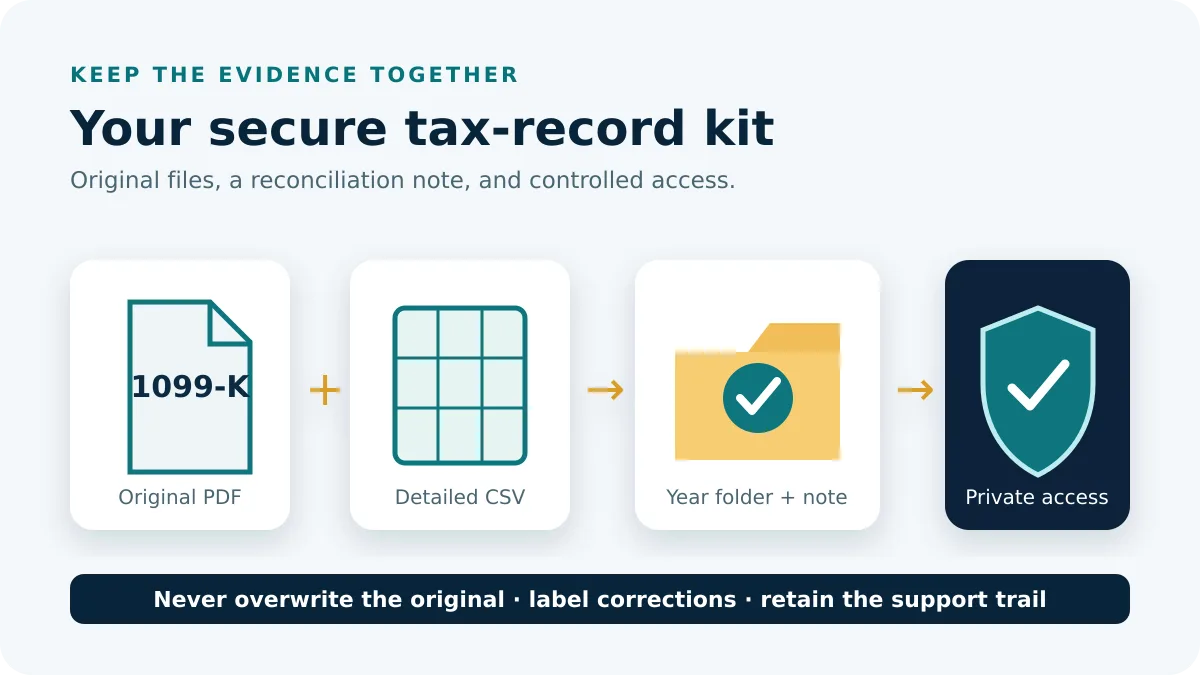
A useful year folder does not need dozens of screenshots. Keep the original provider files and enough supporting records to explain what each one represents.
| File | Keep? | Reason |
|---|---|---|
| Issued Uber 1099 PDF | Yes, unchanged | Original provider tax document |
| Uber Tax Summary | Yes | Annual supporting breakdown |
| Earnings or payout export | When needed | Transaction-level or payout support |
| Your reconciliation sheet | When needed | Explains differences without altering originals |
| Support correspondence | If there is a document problem | Preserves the correction or access trail |
If Uber later provides a corrected tax document, retain the earlier file and the corrected version separately. Add a simple version note rather than overwriting the original. That makes it easier to show which document was available at each point in time.
For other provider tax forms, browse Tax Documents. If you need transaction-level supporting records rather than a tax form, use the Transaction Histories hub. The private record checklist can help you track which files and years you have collected without uploading the documents to Digital Records Desk.
Frequently asked questions
Where are my Uber tax documents?
On the web, sign in at drivers.uber.com and open Tax Information. In the Driver app, go to Account → Tax Info → Tax Forms. The documents shown depend on the account, reporting year and what Uber issued.
Is the Uber Tax Summary the same as a 1099?
No. The Tax Summary is an Uber-provided annual summary. A 1099 is an information return issued under applicable reporting rules. Keep the two records labeled separately.
Can I get an Uber Tax Summary if I did not receive a 1099?
Yes. Uber currently says drivers who do not qualify for either of its described 1099 forms still receive a Tax Summary containing annual earnings information.
How do I download an Uber Tax Summary for a previous year?
Uber’s help documentation directs drivers to the Driver Dashboard, where the Tax Summary can be downloaded for the required reporting year. Verify the year inside the saved document before filing or sharing it.
Why is my Uber 1099 amount different from my bank deposits?
The records can measure different things. Do not alter the issued form. Compare the 1099, Uber Tax Summary, payout records and bank receipts in separate columns and investigate the difference by period and record type.
What should I do if the form is not available?
Check the correct account, reporting year and both documented tax-document routes. Review the current eligibility rules for that year and contact Uber Support if a document you expect to have been issued is inaccessible.
- Uber Help: What tax documents do I get?
- Uber Help: Tax Summary questions
- Uber Help: Accessing your Tax Summary
- Uber: Tax information for U.S. drivers and couriers
Provider routes and document descriptions were checked against Uber’s public U.S. documentation on October 17, 2026. Tax thresholds can change by year and jurisdiction. The verification, filing and record-control steps on this page are original editorial guidance and do not replace tax advice.