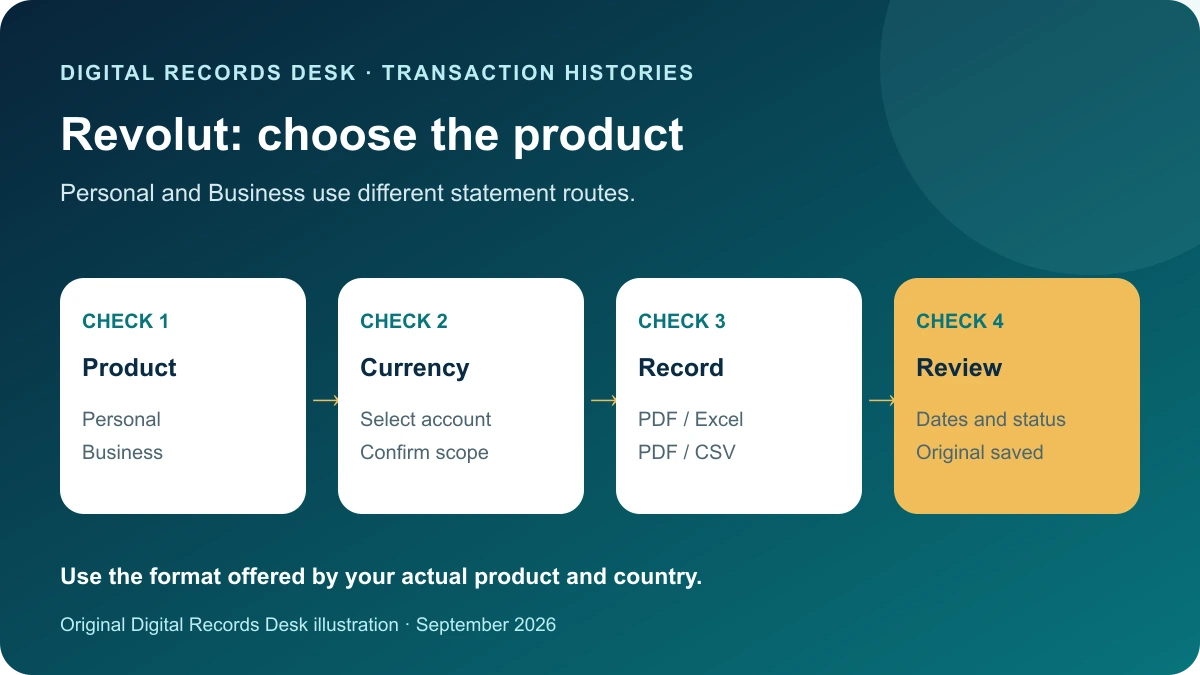
Official documentation reviewed: October 11, 2026
The right Revolut download depends on the product you use. A Personal currency statement is not the same workflow as a Business transaction statement. The Personal and Business routes below have been checked against Revolut’s current United States documentation; other countries and products may show different options.
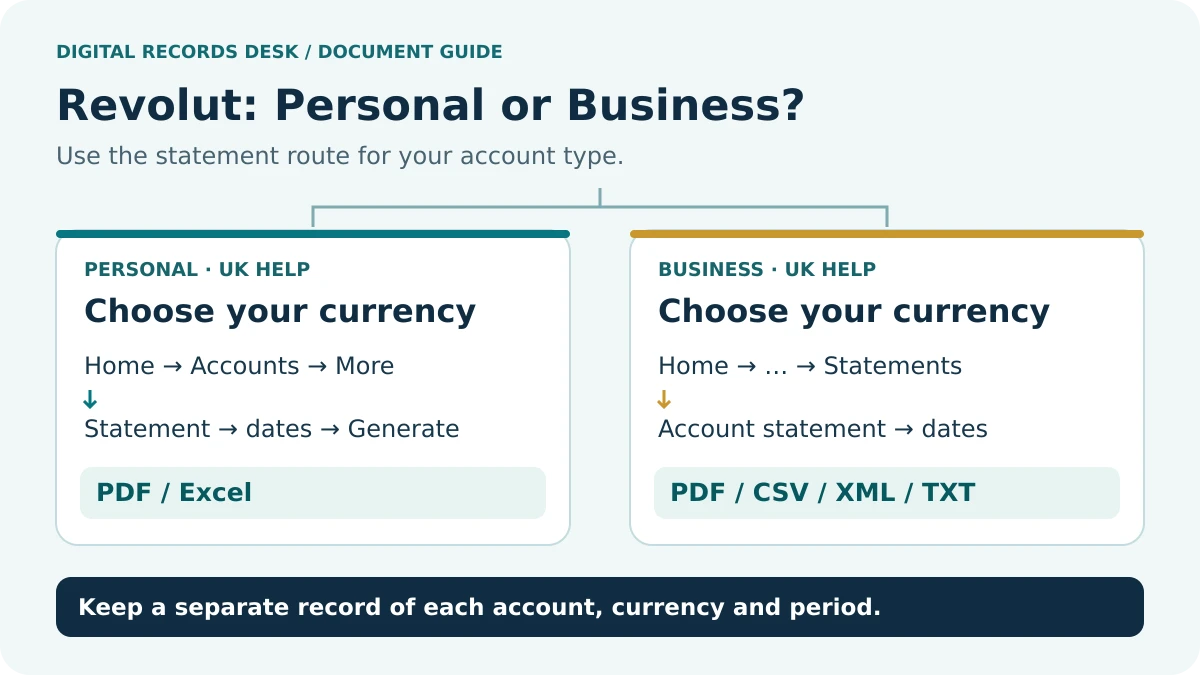
Personal and Business routes
| Revolut US Product | Route | Document types |
|---|---|---|
| Personal currency account | Home → Accounts → currency → More → Statement | PDF or Excel |
| Business transaction statement | Home → three dots → Statements → Transaction statement | PDF or CSV |
For Personal, select the timeframe and document type, then Generate. Revolut US says the currency statement includes account details, a balance summary, and pending, completed and reverted transactions. The current US documentation lists PDF or Excel for this Personal currency-statement flow; it does not list CSV as an option here. Revolut US Personal statement documentation.
For Business, choose filters, dates and file type before Generate. Download access requires account-management permission. Statements use UTC by default; the documented CSV can also include local times configured through Appearance settings. Business statement documentation.
Prepare a precise download request
Write a one-line requirement before opening the app: “Personal EUR account, April through June, readable statement plus spreadsheet detail.” This prevents a common mistake: exporting whichever record is easiest to find and later treating it as a complete financial history.
- Identify Personal, Business or another product and the country context.
- List the currencies and any separate accounts included in the request.
- Define the start and end dates and whether partial current-day activity is acceptable.
- Ask the recipient whether it needs an issued statement, structured detail or both.
- Choose the documented route for that product and inspect the options actually offered.
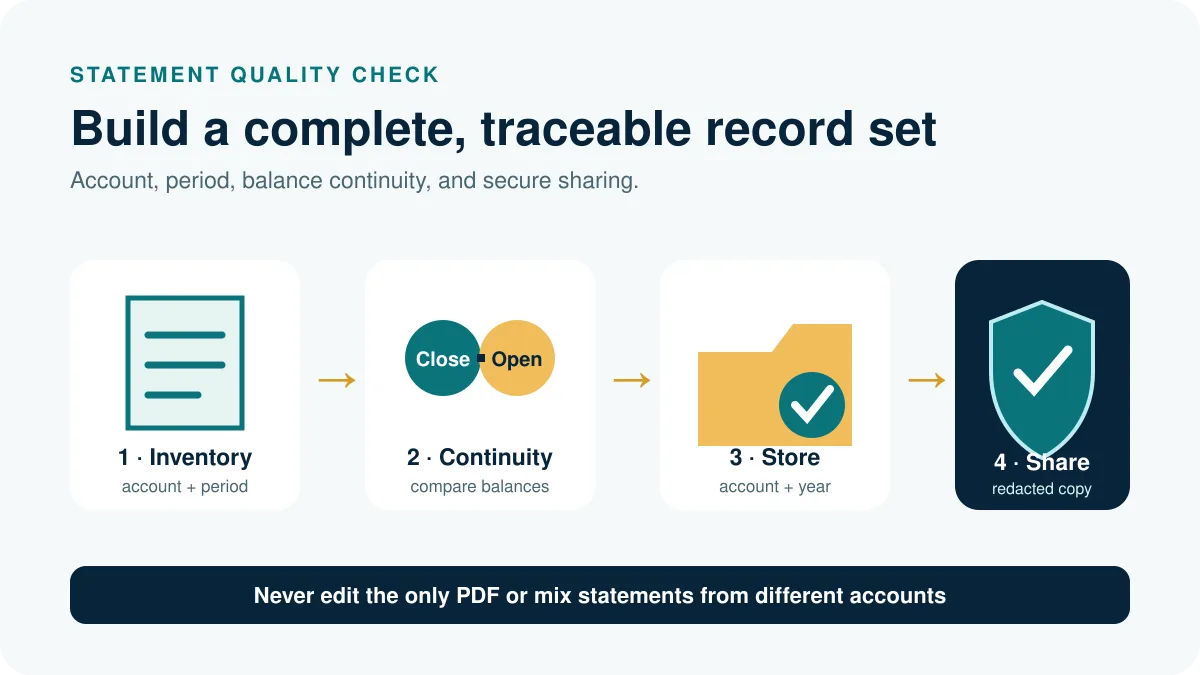
- Save the original and record your selections beside it.
If you need investment, savings or another product’s record, locate its own statement area. Do not assume the currency-account document represents every Revolut service associated with the same login.
Check the exported record
Open the saved file after the download finishes. Verify the account label, currency and period before reading individual rows. Keep the filename descriptive without including a complete account number. A file called Revolut-Business-EUR-May-2026-original.csv is easier to distinguish from a Personal spreadsheet than a sequence of generic downloads.
Use three control samples: an early transaction, a late transaction and an item whose status changed. Compare the same fields in the original and the spreadsheet. Preserve any separate date fields rather than collapsing them immediately into one “date” column. A later explanation may depend on whether that field means initiation, completion or a reporting timestamp.
Record currency per file and per row where supplied. Summing numbers without their currency creates a meaningless total. If the request covers multiple currencies, retain separate subtotals and let any documented conversion occur in a clearly labeled working sheet.
Investigate month-boundary differences
A fictional transaction at 23:30 UTC on June 30 is already July 1 in a zone two hours ahead. Two reports can therefore put the same event in different months without losing it. This example illustrates a time-boundary issue; it does not establish which date your particular report or accountant requires.
When a row seems missing, compare the account, period, status and time basis first. Search a narrow adjacent interval and trace the event using its available identifier and details. Do not change the timestamp just to make monthly totals match. If the export itself does not explain the difference, preserve both files and ask official support which field controls inclusion.
For Business, keep a record of applied filters alongside the output. For a Personal statement, inspect the selected currency and period again. An archive is stronger when another person can reproduce how it was obtained without being given your login.
Keep issued files separate from working files
Create an originals folder and a separate working folder. If you receive an Excel file and a downstream application specifically requires CSV, work on a copy and confirm which sheet and column layout must be exported. Renaming an extension does not convert the contents. Do not describe a locally converted file as a native Revolut CSV.
Retain a short conversion note: input filename, chosen sheet, output filename, date format and any removed columns. Compare row counts and several values after conversion. Keep a PDF statement when the recipient needs the provider’s readable document rather than a data-import file.
Use the private record checklist to plan the archive without uploading documents. Our CSV troubleshooting hub covers import problems, and Transaction Histories groups related provider guides. If access is restricted, use the account owner or official support route; do not share credentials to get around permissions.
Frequently asked questions
Where is the CSV option in Personal?
Revolut’s current US documentation for Personal currency-account statements lists PDF and Excel, not CSV. Do not assume that the CSV option available for Revolut Business transaction statements is also available in the Personal statement flow. If another system requires CSV, preserve the original Revolut file and create any converted CSV as a clearly labeled working copy.
Why does a transaction fall in another month?
Compare the time basis, chosen date field and report period. A boundary difference needs investigation before it is treated as a missing record.
Can I use a transaction export as an official statement?
Ask the recipient. A spreadsheet can be useful for analysis while a formal request may require the provider-issued PDF.
- Revolut US Personal: currency account statements
- Revolut US Business: transaction statements
- Microsoft: import text and CSV files
Provider routes were checked against public documentation on October 12, 2026. Menu labels, available products and regional requirements can change. The examples and record-control checklists are original editorial guidance, not provider screenshots or a test inside your account.